VoiceScript turns spoken recordings into editable transcripts for professionals
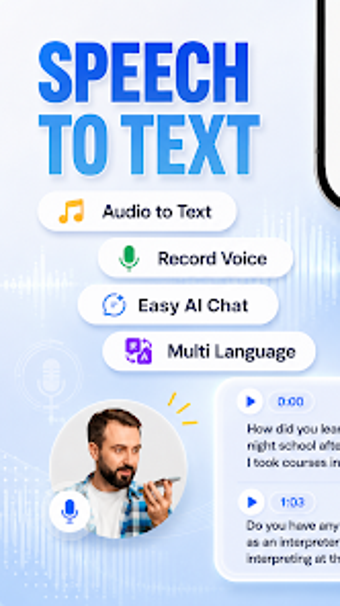
VoiceScript - Audio to Text, developed by BlueGrowth, converts spoken recordings into written documentation for professional and academic workflows. The app captures live speech and imports existing audio, using an AI speech-recognition engine to generate editable text inside the same interface. Key capabilities include transcription, language recognition, an integrated editor, and organized storage. It targets journalists, researchers, students, and business users who need faster capture and conversion of interviews, lectures, and meetings.
It accepts standard audio files and keeps transcripts organised for reuse
The app supports importing common audio formats such as MP3 and WAV, so recordings from recorders or other apps can be converted without manual re-encoding. Files and transcripts are kept in an internal file management system that lets users categorise and store past transcriptions for later reference. The product runs on Android devices and is compatible with modern releases found on the app store.
It handles multiple languages and varied accents for international workflows
VoiceScript includes multi-language support, enabling transcription across a broad set of international languages and dialects. The speech-recognition engine is described as optimised for high accuracy on different accents, which helps when working with interview subjects or lecture speakers from diverse linguistic backgrounds. That capability reduces manual correction when audio quality and speaker clarity are reasonable.
It produces editable output and supports document-level sharing
Transcripts appear in an integrated text editor so users can refine wording and formatting before export. The app can export text as PDF or TXT, which lets professionals add transcripts to reports, client deliverables, or research notes. Exported files can be shared through email, messaging apps, or saved to cloud storage, fitting into typical document workflows for teams and individuals.
Its accuracy and feature set depend on the AI engine and connectivity
The speech-to-text engine uses AI processing and an active internet connection is typically recommended to access its full capabilities; some features may work offline but with reduced performance. The app targets everyday recording scenarios such as meetings and lectures rather than extremely noisy, multi-speaker production environments. Stability and transcript fidelity depend on source audio quality and network access during processing.
VoiceScript is a practical choice for those who need routine transcription support
The developer focuses on speech-to-text tools and users report positive experiences with transcription accuracy and the app's export options, making VoiceScript a practical option for professionals who need editable transcripts quickly. Expect dependable results in standard interview, lecture, and meeting settings; however, reliance on the AI engine means performance aligns with network access and audio clarity rather than guaranteed studio-grade output.
Pros
Imports common audio formats like MP3 and WAV without re-encoding
Multi-language transcription with optimisation for different accents
In-app editor lets users correct and format transcripts before export
Exports to PDF and TXT for easy inclusion in documents
Cons
Full AI recognition capabilities typically require an active internet connection
Accuracy depends on source audio quality and speaker clarity
Designed for Android devices only, limiting cross-platform use
Not optimised for highly noisy, multi-speaker production environments
Laws concerning the use of this software vary from country to country. We do not encourage or condone the use of this program if it is in violation of these laws. Softonic may receive a referral fee if you click or buy any of the products featured here.